Why IT Support for Healthcare Requires Specialised Knowledge of Clinical Systems and Patient Privacy
Most managed IT providers list healthcare as one of several industries they serve, right alongside…

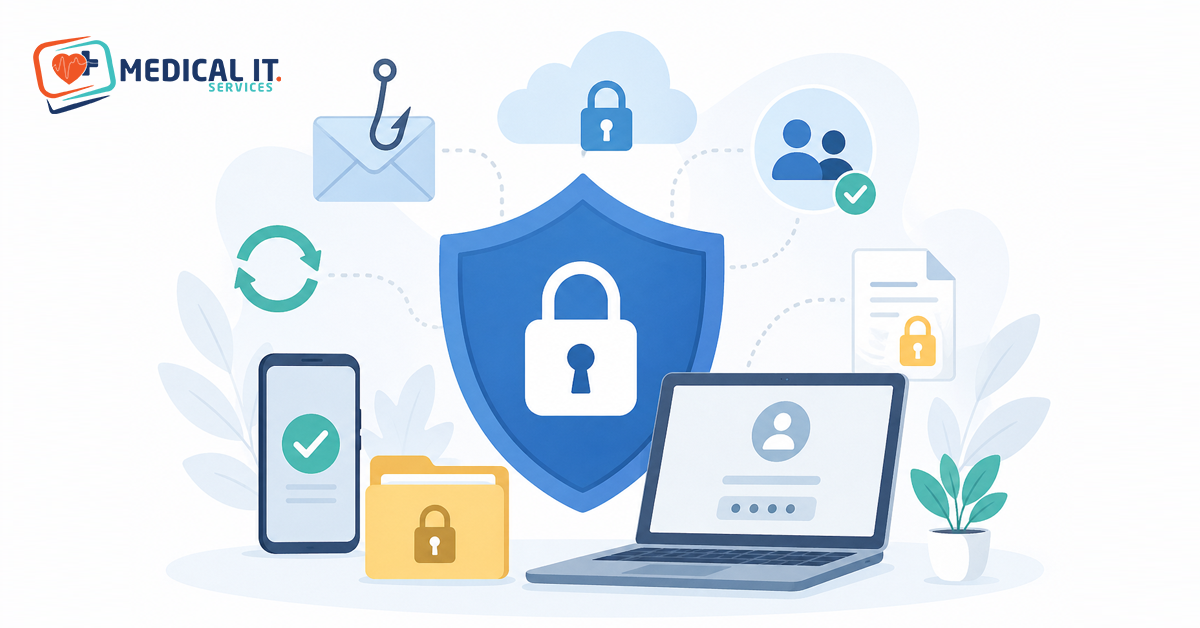
In today’s digital age, data is the biggest investment an organization can make. A small oversight can lead to financial loss, reputational damage, or legal problems for a company. Most data leaks are not intentional, but rather employee errors or accidents. Therefore, it is essential that every employee understands and practices the basic principles of data security.
A password is the first step to data security. Many employees use the same password for their personal email, social media, and company accounts — all of them. This is the biggest mistake. If data is stolen in one place, a hacker can get into all the other accounts. A strong password is one that includes uppercase letters (A,B,C), lowercase letters (a,b,c), numbers (1,2,3), and symbols (@,#,$,%). For example: P@k#2024Data is strong, while 123456 or password are completely weak.
It is extremely dangerous to tell anyone your password or write it on a notepad, diary, or sticky note and stick it on the side of your computer. Anyone in the office can see it. Also, change your password periodically, for example, every 60 or 90 days. Try to make your password simple enough to remember, but difficult enough that no one can guess it. Remember: a strong password is the protective wall of your digital identity.
Two-factor authentication means that not only is your password enough, but you also have to enter an additional code. This code usually comes to your mobile phone via SMS or an authentication app (like Google Authenticator). So even if your password is somehow stolen, the hacker can’t bypass this second step, because they won’t have your phone. It’s an extra layer of security, like having two different locks on your two doors.
Every employee should enable 2FA wherever possible — company email, Slack, Teams, cloud storage, and even personal banking. It may seem a bit inconvenient at first to have to pick up the phone every time, but getting into the habit will save you from major accidents. Companies often require employees to adopt 2FA. If you haven’t turned it on yet, do it today. It’s a small step that can save you from a lot of damage in the future.
In a phishing attack, fraudsters send you an email that appears to be from a real company (such as a bank or IT department). The email says: “Your account is being closed, click here” or “Send your password to get this reward money.” If you click on the link, a fake website opens that looks exactly like the real one. There you enter your password and data, and that’s it — your data has been stolen. Always remember: no real company asks you for your password via email.
Before clicking on a link in an email, carefully check the sender’s email address. For example, support@paypa1.com is different from the real paypal.com. Also, only open attachments if you know the full identity of the sender. If an email seems suspicious, delete it and notify your company’s security team immediately. It’s better to be safe than sorry.
Every organization divides its data into different categories. Public data (such as the company’s name and address) can be seen by anyone. Internal data (such as employee vacation schedules) can only be seen by people within the company. Confidential data (such as a customer list) can only be seen by authorized people. Top-secret data (such as a company’s new product or financial secrets) can only be seen by a very limited number of people. It’s important for every employee to know what kind of data they can and cannot see, depending on their position.
Sharing sensitive data with a colleague, friend, or family member without permission is one of the most common causes of data leaks. Sometimes people send files to others with good intentions to help, but it’s against company policy. If you don’t know what level of data a piece of data is, ask your manager or security team. Remember: the rule of thumb for all data access is “see only as much data as you need to do your job.”
When you need to share a sensitive file with someone else, don’t send it via plain email. Instead, encrypt the file, which means that only the person with the password can open it. Many programs like WinRAR, 7-Zip, or Microsoft Office offer self-encryption. Send the password separately from the file (e.g., in a phone message or in another email). Also, never share sensitive company data over public Wi-Fi—like hotel, airport, or cafe Wi-Fi. These networks are vulnerable and can be easily tapped by hackers.
If possible, use secure company platforms like Microsoft Teams, Slack, Google Drive (with a company account), or SharePoint instead of email. These platforms automatically encrypt data and also keep a record of who saw what and when. Also, when sharing data, make sure you are sending it to the right person. One wrong click and an old employee or the wrong person could get the file, which can be a huge risk.
When you leave your desk for lunch or a meeting, don’t forget to lock your computer. Pressing Windows + L on Windows instantly locks the screen. Control + Command + Q on Mac. If you don’t lock your computer, anyone can see your files, read your emails, and even send messages on your behalf. Similarly, don’t leave your laptop in an open space like a conference room or in your car. Someone could steal it, and with it all your company data.
Be sure to have a screen lock method on your mobile phone and laptop (PIN, password, fingerprint, or facial recognition). Also, turn on the “remote wipe” feature — this allows you to remotely wipe all your data if the device is lost. Be extra careful when taking company devices home. When working with your laptop open in public places like train stations, libraries, or cafes, make sure that no one is shoulder surfing behind you. Physical security is no less important than digital security.
Human error can happen. You might have sent an email to the wrong person, put a confidential file in the wrong group, or left your company laptop somewhere. The biggest mistake in such a case is to hide it out of fear or try to fix it yourself. The damage increases when you hide it. For example, if you accidentally send an Excel spreadsheet to an outsider and you don’t tell them, that person can share it somewhere else.
Whenever an incident occurs, immediately notify your manager and the company’s IT security team. They are trained to deal with such incidents. They might try to recall the email, or block the person’s access immediately, or change passwords. Remember: companies want to help you manage the situation, not punish you. Late reporting only makes things worse. Honesty is the best policy.
Over time, we accumulate a lot of unnecessary data on our computers and in the cloud: old projects, screenshots, downloaded files, old emails, and more. The older this data is, the more vulnerable it becomes because it is often ignored. If a hacker or malicious employee gains access to your system, these old files can also provide valuable information. That’s why it’s important to review your files once a month or quarter and permanently delete data that is no longer useful.
Permanent deletion means simply emptying the Recycle Bin. Remember that when you normally delete a file, it goes to the Recycle Bin first. Empty the Recycle Bin as well. If the data is very sensitive, have it overwritten with special software so that it cannot be recovered. Read your company’s “data retention policy” — it explains what data must be kept for how long. The less data, the less risk.
When your computer shows a message saying “new update available,” many people put it off by “reminding you later.” But these updates aren’t just about bringing new features — they often close security vulnerabilities that hackers have discovered. When you don’t update, your system is open to these threats. Hackers look for old systems like these. Similarly, antivirus software should always be up-to-date, as new viruses and malware are created every day.
Companies often enable automatic updates on their employees’ systems, but if you use your personal device for work, take care of yourself too. Check once a week to make sure your operating system, browser, and antivirus are up-to-date. Never use unauthorized or outdated software that has not been approved by the company. Such software carries a high level of security risks. Make updates a daily habit — it’s the easiest way to protect your Data Security from new attacks.
Data Security is not a one-time subject. Hackers and new attack methods change daily. That’s why every employee should regularly attend training workshops, seminars, or online courses organized by the company from time to time. These trainings teach you new phishing techniques, the latest threats, and advanced prevention methods. Many companies test an employee’s alertness by sending them fake phishing emails. If you get caught, don’t be embarrassed — learn and move on.