Why IT Support for Healthcare Requires Specialised Knowledge of Clinical Systems and Patient Privacy
Most managed IT providers list healthcare as one of several industries they serve, right alongside…


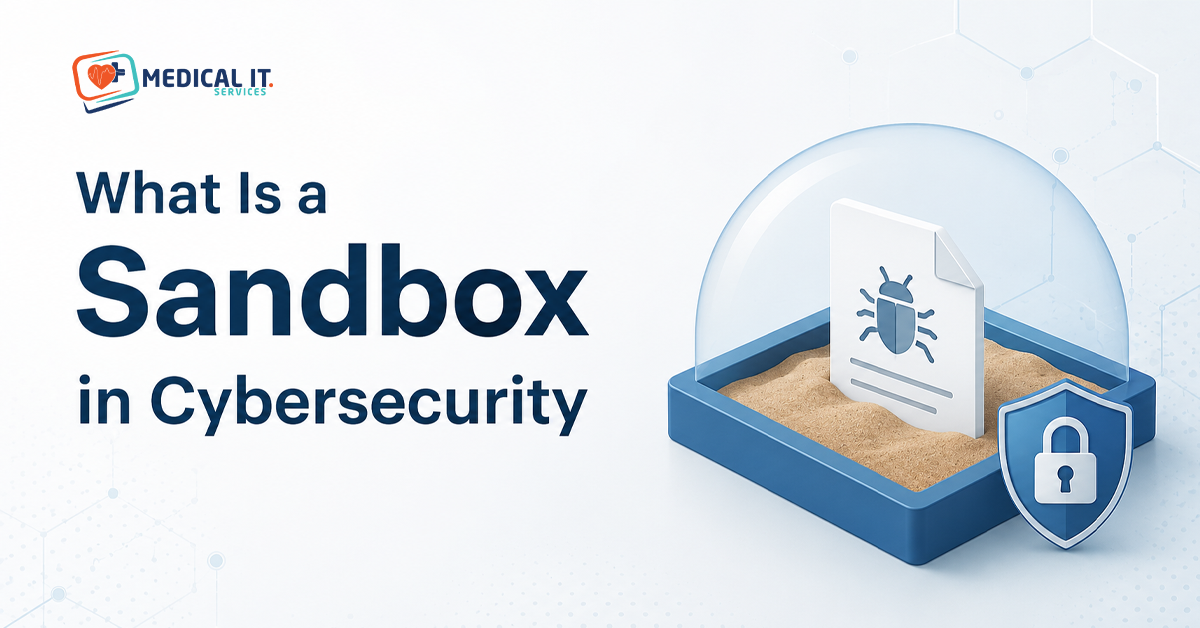
A sandbox in cybersecurity is a safe, isolated space where a suspicious file or link can be opened and watched. And without any risk to your actual systems if it turns out to be malicious. It’s one of the most powerful tools in modern malware protection, and one of the least understood outside IT security circles. This article will explain what a sandbox is and how it catches threats that traditional antivirus misses. And why it matters for medical practice handling sensitive patient data every day.
Think of a sandbox as a quarantine room for suspicious files. Before an email attachment, downloaded file, or link reaches your actual computer. It’s first opened in a separate, isolated environment, a virtual copy of a system. That behaves just like a real one but is completely disconnected from your real network and data. If the file turns out to be malicious, whatever damage it tries to do happens only inside that isolated space, with no way to reach your actual systems.
This is different from a system simply scanning a file’s code. A sandbox runs the file and watches what it does, the same way a security guard might. Let a suspicious visitor into an empty room to see what they do before deciding whether to let them into the building.
Traditional antivirus software largely works by comparing files against a list of known malware signatures. Essentially a most-wanted list of threats that have already been identified elsewhere. This works well for known threats, but it has an obvious gap: it can’t catch something that’s never been seen before.
Cyber criminals know this and constantly create new or modified malware specifically designed to avoid matching any known signature. These are often called zero-day threats, meaning security software has had zero days to prepare a defence against them. This is exactly the gap sandboxing is designed to close.
Rather than asking ‘does this match a known threat’, a sandbox asks ‘what does this file try to do when it runs? Inside the isolated environment, the file is executed and monitored for suspicious behaviour. And does it try to modify system files, connect to an unfamiliar server, encrypt data, or replicate itself? This approach is called behavioural analysis, and it’s what allows a sandbox to catch entirely new threats that have never been documented anywhere before.
Because the analysis happens in a disposable, isolated copy of a system rather than your actual device, even a genuinely dangerous file can be safely observed in full, with the sandbox simply discarded and reset afterwards.
If the sandbox identifies malicious behaviour, the file is blocked from ever reaching the intended recipient’s device. And the sender or source is typically flagged for future scanning. Depending on the security platform, this information may also be shared to improve detection for other protected systems, meaning a threat caught in one place can help protect others before it spreads further.
Medical practices are genuinely attractive targets for cyber criminals, precisely because patient data is valuable and practices are often perceived, sometimes accurately, as having less mature security than larger organisations. A successful ransomware attack against a clinic doesn’t just cause a financial loss; it can lock reception and clinicians out of patient records entirely, disrupting care until systems are restored.
Sandboxing matters here because email remains one of the most common ways malware reaches a practice. Whether through a fake invoice attachment, a disguised referral letter, or a link in a phishing email impersonating a known contact. Catching these before they ever reach a staff member’s inbox removes a significant amount of risk that would otherwise depend entirely on staff noticing something suspicious.
Sandboxing isn’t a replacement for other security measures; it’s one layer among several that work together. A realistic security stack for a medical practice typically includes:
The Australian Cyber Security Centre’s Essential Eight framework includes application control as one of its core strategies, which is closely related to the kind of protection sandboxing provides: preventing unknown or unapproved software from running freely on business systems. While sandboxing itself isn’t one of the eight named strategies, it directly supports the broader goal of restricting. What unverified code is allowed to do on your systems and is a natural complement to a practice working toward stronger Essential Eight alignment.
Many businesses already have some level of sandbox protection without realising it. Microsoft Defender for Office 365 (included in some Microsoft 365 Business Premium plans) includes Safe Attachments, a sandboxing feature for email. Many modern endpoint protection platforms also include sandbox or behavioural analysis capabilities as standard, not as a separate add-on.
If you’re not sure whether your practice’s current security setup includes sandbox-based detection. This is worth confirming directly, since some lower-tier plans and older antivirus products rely purely on signature-based detection without this additional layer.
Sandboxing is powerful, but it isn’t infallible. Sophisticated malware sometimes includes techniques specifically designed to detect when it’s running inside a sandbox. And delay or disguise its malicious behaviour until it believes it’s on a real system. This is exactly why sandboxing works best as one layer of a broader security strategy, not a single point of protection that a practice relies on entirely.
Sandboxing can also add a short delay to email delivery, since attachments need to be analysed before reaching an inbox. For most practices, this delay is measured in seconds to a couple of minutes, a reasonable trade-off given what it prevents.
Understanding sandboxing is useful; knowing whether your practice is protected by it is what matters. Medical IT Services helps Australian medical practices through:
If you’re not sure whether your practice’s current security setup includes protection against unknown, never-before-seen threats. Medical IT Services can review your security stack and close any gaps.
A sandbox in cybersecurity is, at its core, a safe space to test something suspicious before it can do any real harm. For medical practice, that translates directly into fewer malicious emails reaching staff. And a stronger defence against the kind of never-before-seen threats that traditional antivirus alone can miss. It’s not a silver bullet, but as one layer in a broader security strategy, it closes a gap that matters.
If you’re not sure whether your practice’s current security setup includes sandbox-based protection against unknown threats. Medical IT Services can review your security stack and recommend what’s genuinely needed, without overselling protection you don’t need.