If your practice or business is still paying for a landline system with a server…
How to Choose Between Internet Providers for Reliable Speeds and Local Customer Support
Choosing an internet provider for medical practices isn’t the same decision as choosing one for a household. When your connection drops during a telehealth consultation or your practice management software stalls mid-appointment, it’s not a mild inconvenience; it’s a clinical and administrative problem that patients notice. This guide walks through exactly what to look for in an internet provider, why business-grade and local support matter more than advertised speed alone, and how to decide what will hold up on a busy Monday morning.
Why Internet Choice Matters More for Medical Practice
A general practice today runs almost entirely on its internet connection. Cloud-based practice management platforms like Best Practice, Medical Director, and Genie Solutions all rely on a stable connection to load patient records, process billing, and sync appointments. HotDoc bookings, SMS reminders, telehealth consultations and My Health Record lookups all depend on the same link. When that connection is slow or drops out, the effect isn’t abstract; it’s a receptionist unable to check in a patient, a doctor unable to pull up a history mid-consult, or a telehealth appointment that simply fails to connect.
This is why choosing an internet provider for medical practices deserves more scrutiny than picking a plan based on price and advertised download speed alone. The right decision weighs reliability, support, responsiveness, and continuity planning alongside raw performance.
Business-Grade vs Residential Internet
Most residential NBN plans are built and priced for occasional streaming and browsing, with no guaranteed response time if something goes wrong. Business-grade plans cost more, but for good reasons, they typically include priority fault restoration, higher contention ratios (meaning your speed is less affected by other users on the network at peak times), and access to service level agreements that specify how quickly a fault will be addressed.
For medical practice, the gap between residential and business-grade internet usually shows up at the worst possible moment: a fault reported on a residential plan might sit in a general queue for days, while a business-grade fault with an SLA is prioritised for same-day or next-business-day resolution. If your practice would lose real income or risk patient safety from a multi-day outage, that gap alone justifies the higher cost.
How Much Speed Does Practice Actually Need
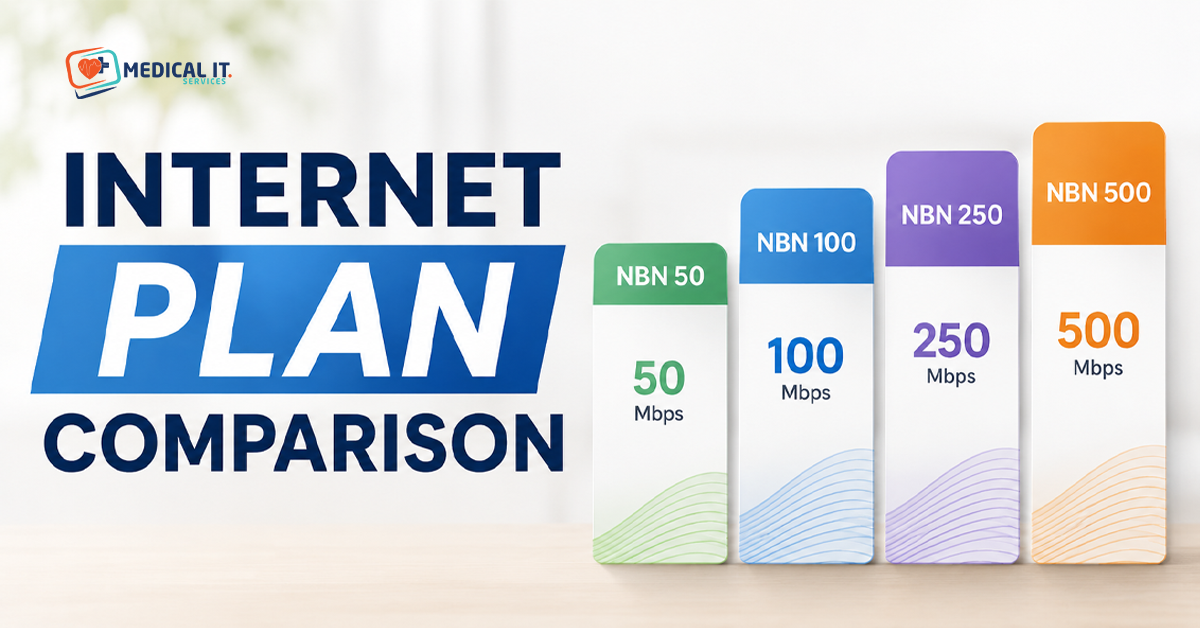
Speed matters less than most marketing suggests, but it isn’t irrelevant. A small solo practice running cloud-based practice management software, occasional telehealth, and basic web browsing can typically run comfortably on a 50/20Mbps business connection. A busier multi-doctor practice with simultaneous telehealth sessions, imaging file transfers, and multiple reception terminals should look at 100/40Mbps or higher, with upload speed treated as seriously as download. Telehealth video quality depends heavily on upload bandwidth, which is often the overlooked half of the equation.
A useful rule of thumb: count your simultaneous telehealth sessions at busiest times, multiply by roughly 3-4Mbps upload per session, then add headroom for practice management software, EFTPOS, and general browsing. Providers and IT consultants can help size this more precisely against your specific software stack.
Reliability and Uptime: Reading Past Marketing
Every provider advertises reliability. Few publish a specific uptime figure or explain what happens when things go wrong. Ask directly: what uptime percentage does the provider commit to in writing, and what compensation or fault-response time applies if that’s not met? The vague answer is useful information itself.
It’s also worth checking independent complaint data. The Australian Competition and Consumer Commission publishes a broadband performance monitoring program, and the Telecommunications Industry Ombudsman publishes complaint volumes by provider; both offer a more honest signal than a provider’s own marketing about how often things go wrong and how well complaints get resolved.
Why Local Customer Support Matters More Than Think
When your internet drops at 9 am on a Monday with a full appointment book, the quality of support you get at that moment matters more than almost any other feature on a plan. Local, Australian-based support with a named account contact rather than an overseas call centre reading from a script tends to resolve practice-specific issues faster, because there’s continuity between calls rather than starting from scratch with each new agent.
Before signing up with a provider, ask what support looks like in practice: is there a dedicated business support line separate from the residential queue? What’s the average time to speak to a person, not a bot? Is after-hours support available, given that many practices run extended or Saturday hours? These questions matter more than an extra few Mbps in the plan brochure.
Backup and Failover Connections
Even the most reliable business connection can go down due to a damaged cable outside your building, a wider network outage, or scheduled maintenance you weren’t told about. A failover connection, typically a 4G or 5G backup service that automatically takes over when your primary line drops, is one of the more overlooked but valuable investments a practice can make.
For a practice that can’t afford to send patients away or cancel a full day of telehealth appointments, a properly configured failover setup means the switch happens automatically and, ideally, invisibly to staff and patients. This is a relatively low-cost addition compared to the cost of a full day’s lost appointments, and it’s worth discussing with whichever provider or IT partner manages your connectivity.
Comparing Providers: A Practical Checklist
- Is this a business-grade plan with a documented SLA, or a residential plan being sold to a business customer?
- What uptime commitment is stated in writing, and what happens if it’s not met?
- Is Australian-based business support available, with a dedicated line and reasonable time-to-answer?
- Does the provider support or allow a 4G/5G failover connection alongside the primary line?
- Is a static IP address available if your practice management software or remote access setup needs one?
- What connection type is available at your address? Fibre to the premises is generally the most reliable, followed by HFC, then fixed wireless or fibre to the node.
- What’s the contract length and exit process in case the service doesn’t meet expectations?
Which Setup Suits Your Practice? A Scenario-Based Guide
1. Solo GP or small allied health clinic
A business-grade connection with a documented SLA is the minimum sensible starting point. A failover connection is worth the modest extra cost if telehealth or after-hours access is part of your service.
2. Multi-doctor general practice
Higher speed tiers matter here, particularly upload bandwidth for simultaneous telehealth sessions across multiple consulting rooms. A failover connection moves from ‘nice to have’ to close to essential, given the higher cost of a full-practice outage.
3. Multi-site healthcare group
Consistency across sites matters as much as speed at any single site. The same provider, plan tier, and failover setup at each location makes fault diagnosis and support far simpler than a patchwork of different providers chosen site by site.
Common Mistakes Practices Make When Choosing a Provider
- Choosing a residential-grade plan to save money, then discovering there’s no meaningful fault-response guarantee when something breaks.
- Focusing entirely on download speed while ignoring upload speed, which is what limits telehealth video quality.
- Assuming the incumbent provider is automatically the most reliable option without checking ACCC or Ombudsman complaint data.
- Skipping a failover connection to save a small monthly cost, then losing a full day of appointments during an outage.
- Signing a long contract without confirming what local support looks like day to day.
- Not testing the connection’s real-world performance against actual practice management software before committing to a longer contract.
How Medical IT Services Can Help
Choosing between internet providers is only the first step. The bigger question is whether your connection, once installed, is configured, monitored, and backed up in a way that protects your practice from downtime. Medical IT Services helps Australian medical practices through:
- A connectivity audit to assess whether your current plan matches your practice’s real speed, reliability and continuity needs.
- Provider selection and switch management, so you’re not left doing the comparison and negotiation alone.
- Failover connection setup and testing, so backup connectivity works when it’s needed, not just on paper.
- Ongoing monitoring and support aligned to your practice’s software stack. Best Practice, Medical Director, Genie and HotDoc so connectivity issues are caught before patients notice.
If you’re not sure whether your current internet setup would hold up during a full-day outage. OR you’re weighing up switching providers, Medical IT Services can review your connectivity. And recommend a setup that matches how your practice runs.
Conclusion
Choosing an internet provider for medical practices comes down to three things that matter far more than advertised speed. A documented reliability commitment, genuinely responsive local support. And a plan for what happens when, not if, your primary connection goes down. Getting this right protects not just your practice’s day-to-day operations. But the patients relying on telehealth, online bookings and accurate records every time. They walk through your door or log in from home.
If you’re not sure whether your current internet setup would hold up during a full outage. Or you’re comparing providers and want an independent read on what matters. Medical IT Services can review your connectivity and recommend a setup built around how your practice really runs.
Related Posts